The VS Code extension
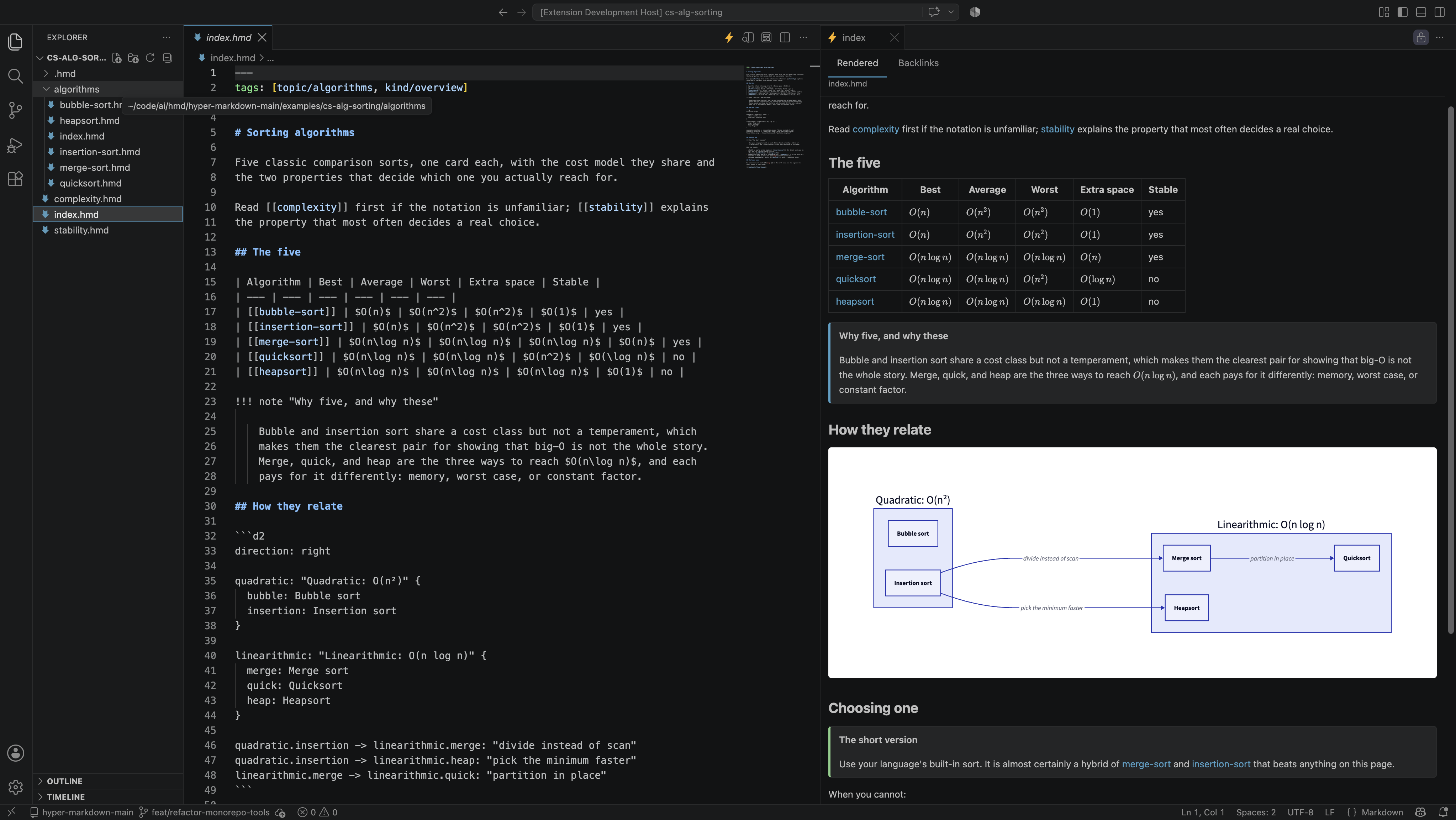
Live preview for .hmd knowledge bases: source on the left, the rendered card
on the right, keeping up as you type. It is the one place where a card looks
like a card while you are writing it — embeds stay embeds, links resolve as you
type, and a link to nothing is red.
Install from the VS Marketplace Open VSX
ext install hypermarkdown.hmd
Cursor, Windsurf, and VSCodium install from Open VSX; stock VS Code from the
marketplace. Either way, open a .hmd file and click the ⚡ at the top right of
the editor.
What it gives you
- A live preview that renders from the unsaved buffer and scroll-syncs with the editor in both directions.
- Embeds as cards — labelled with the card and fragment they came from, collapsible, and clicking through to the card they came from rather than the one they are in. A preview that flattens an embed into anonymous prose has hidden the only thing worth seeing.
- Red links, with an action that writes the missing card.
- A graph of the vault, cards as nodes and link and embed edges drawn apart,
clicking one to move the preview there. The whole network, or the card you are
on and what it links to — or what links to it. A big network is read full
screen: the button hands the graph the whole window, and
Escapegives the editor back. - The same diagnostics as
hmd lintin the Problems panel, under the sameHMD001–HMD016rule IDs. - Math, callouts, and D2 diagrams, and
.hmdas its own language with its own highlighting.
No Python required
The extension carries its own implementation of the format — the parser, the resolver, and the renderer are TypeScript, running in the editor. Nothing has to be installed to see a card rendered: no interpreter to find, no virtualenv to activate, and no subprocess between a keystroke and the preview.
The hmd CLI stays canonical. Where
the two could disagree they are checked against a shared conformance corpus on
every push, so the preview and the published site are the same reading of the
same file. Completion and the rest of the language-server features are not in
the extension yet; they arrive with the Python language server, and the preview
will keep rendering without it.
Diagrams are no exception. The build for your platform carries a pinned
d2 inside it, so a d2 fence draws on a fresh install
with nothing on your PATH and nothing downloaded at run time.
What it does not do
HMD017 — the rule about a published card linking to a private one — is not
ported yet, so the extension never reports it. Completion, rename, and hover
arrive with the language server, which lives with the command-line tool. Raw
HTML in a card is escaped rather than rendered, deliberately: a webview that
renders HTML out of a cloned repository is a script-injection surface.
The full list of divergences from the CLI, each with its reason, is in the extension's README, what changed is in its changelog, and bugs go to the issue tracker.